- C 91.2%
- C++ 7.7%
- Python 0.6%
- CMake 0.5%
 Joe Kearney
4942d15f32
Joe Kearney
4942d15f32
All checks were successful
Tests / build-and-test (push) Successful in 19s
# SystemK v2.01: The K-Points Game This version of SystemK is based on [Version 0.13](https://ktag.clubk.club/Technology/BLE/KTag%20Beacon%20Specification%20v0.13.pdf) of the KTag Beacon Specification, which adds *Packet Type 0x08: the TRANSFER packet*. This packet is used for transferring items (starting with a in-game currency called K-Points) from device to device reliably. ## Related PRs: - #16 - Software/2024A-SW#19 - Software/2020TPC-SW#9 - Software/KTag-HIL-Tester#1 Co-authored-by: Joe Kearney <joe@clubk.club> Reviewed-on: #16 |
||
|---|---|---|
| .forgejo/workflows | ||
| Audio | ||
| BLE | ||
| CC | ||
| Events | ||
| Game | ||
| IR | ||
| Logging | ||
| Menu | ||
| NeoPixels | ||
| Protocols | ||
| Settings | ||
| States | ||
| Tests | ||
| .gitignore | ||
| CMakeLists.txt | ||
| Colors.h | ||
| Console_HW_Interface.h | ||
| Developer Certificate of Origin.txt | ||
| Kconfig | ||
| KIsForQuality.png | ||
| LICENSE | ||
| README.md | ||
| Results.h | ||
| SystemK.c | ||
| SystemK.h | ||

SystemK
...where the 'K' stands for Quality.
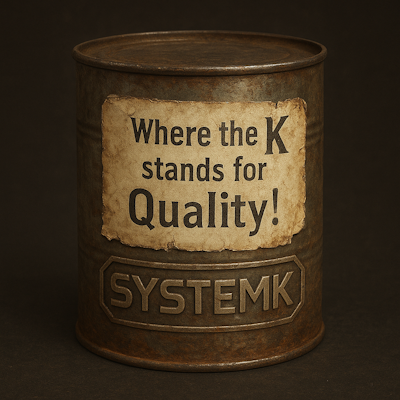
SystemK is the shared C library at the core of KTag devices. It implements game logic, state management, BLE/IR communication, audio, and LED animation, and it runs on FreeRTOS across multiple hardware platforms (including ESP32 and PSoC 6). Each platform provides a thin set of hardware-specific driver implementations; everything above that layer is shared.
Architecture Overview
SystemK is organized around a central event queue and a UML-style state machine. Hardware drivers post events to the queue; the state machine consumes them and orchestrates the subsystems in response.
┌────────────────────────────────────────────────────────────────┐
│                        Host Application                        │
│           (provides HW drivers + FreeRTOS task setup)          │
└───────────────────────────────┬────────────────────────────────┘
                                │ Initialize_SystemK()
┌───────────────────────────────▼────────────────────────────────┐
│                                                                │
│                            SystemK                             │
│                                                                │
│  ┌─────────────────────────────────────────────────────────┐   │
│  │                    State Machine Task                   │   │
│  │  (Entry / Do / Exit per state; reads KEvent queue)      │   │
│  └──────┬──────────┬─────────┬──────────┬──────────────────┘   │
│         │          │         │          │                      │
│  ┌──────▼──┐ ┌─────▼──┐ ┌────▼───┐ ┌────▼────┐                 │
│  │   BLE   │ │  Game  │ │ Audio  │ │NeoPixels│  ...            │
│  └──────┬──┘ └────────┘ └────────┘ └────┬────┘                 │
│         │     KEvent Queue              │ Queue                │
│  ┌──────▼───────────────────────────────▼─────────────────┐    │
│  │                   Events (KEvent_T)                    │    │
│  └──────────────────────────────────────────────────────┬─┘    │
└─────────────────────────────────────────────────────────┼──────┘
                                                          │
┌─────────────────────────────────────────────────────────▼──────┐
│              Hardware Abstraction Layer (*_HW_Interface.h)     │
│   BLE_HW  │  IR_HW  │  Audio_HW  │  NeoPixels_HW  │  Console   │
└────────────────────────────────────────────────────────────────┘
Initialization
A host application calls Initialize_SystemK(), which:
- Creates the static KEvent queue (10 entries).
- Loads Settings from persistent storage.
- Initializes the BLE stack (platform-specific).
- Spawns the State Machine task (static allocation,
tskIDLE_PRIORITY + 1).
The state machine begins in STATE_INITIALIZING and automatically transitions
to STATE_READY once startup completes. The host application is responsible
for creating the NeoPixels task and for wiring up IR, BLE, and audio callbacks
before calling Initialize_SystemK().
State Machine
The state machine implements UML 2.5.1 hierarchical states. Each state provides three callbacks:
| Callback | When called |
|---|---|
Entry |
Once, on entering the state |
Do |
Every loop iteration while the state is active |
Exit |
Once, before leaving the state |
States
STATE_INITIALIZING
STATE_REPROGRAMMING
STATE_CONFIGURING
STATE_READY

STATE_STARTING_GAME__INSTIGATING    ─┐
STATE_STARTING_GAME__RESPONDING      ├─ Starting Game
STATE_STARTING_GAME__COUNTING_DOWN  ─┘

STATE_PLAYING__INTERACTING          ─┐
STATE_PLAYING__TAGGED_OUT            ├─ Playing
STATE_PLAYING__CONSENTING           ─┘

STATE_WRAPPING_UP
State transitions are driven by events from the KEvent queue. A state calls
Transition_For_Event(context, next_state, event) to request a transition;
the state machine loop detects the change and runs Exit → Entry → Do in the
correct order.
BLE Background Advertising
The state machine owns a single BLEBackgroundAdvertisingTimer that runs
continuously (except when explicitly suspended). Its callback calls
BLE_UpdateStatusPacket() or BLE_UpdateHelloPacket() depending on the
current state, at a state-appropriate interval.
States that manage their own BLE advertising (e.g.,
STATE_STARTING_GAME__INSTIGATING) call SuspendBLEBackgroundAdvertising()
on entry and ResumeBLEBackgroundAdvertising() on exit.
Event System
The KEvent_T queue is the single communication channel between hardware
callbacks, timers, and the state machine. No subsystem calls directly into
the state machine.
typedef struct {
    KEvent_ID_T  ID;
    void        *Data;
} KEvent_T;
Key event categories:
| Category | Examples |
|---|---|
| Hardware input | KEVENT_TRIGGER_SWITCH_PRESSED/RELEASED, KEVENT_ACCESSORY_SWITCH_PRESSED |
| IR reception | KEVENT_TAG_RECEIVED (Data → TagPacket_T *) |
| BLE | KEVENT_BLE_PACKET_RECEIVED (Data → BLE_Packet_T *) |
| Game | KEVENT_TAGGED_OUT, KEVENT_GAME_OVER, KEVENT_OUT_OF_SHOTS |
| Transfer | KEVENT_TRANSFER_CONSENT_NEEDED, KEVENT_TRANSFER_COMPLETED, KEVENT_TRANSFER_INVENTORY_RECEIVED, KEVENT_TRANSFER_TIMEOUT |
| Audio | KEVENT_AUDIO_COMPLETED |
| Menu | KEVENT_MENU_ENTER, KEVENT_MENU_UP, KEVENT_MENU_SELECT |
Post from task context with Post_KEvent(); from an ISR with
Post_KEvent_From_ISR().
Subsystems
| Subsystem | Purpose | Key interface |
|---|---|---|
| Events | Static event queue; inter-subsystem communication | Post_KEvent(), Receive_KEvent() |
| BLE | Advertising, scanning, peer-to-peer game sync | BLE_Update*Packet(), BLE_ScanAndAdvertise() |
| Transfer | Two-phase-commit item/K-Point transfer between devices | BLE_Transfer_SendRequest(), BLE_Transfer_HandlePacket() |
| IR / Protocols | Tag encoding and decoding across 10 protocols | PROTOCOLS_EncodePacket(), PROTOCOLS_MaybeDecodePacket() |
| Audio | Sound effects, speech synthesis | Perform_Audio_Action(AudioActionID_T) |
| NeoPixels | LED animation (1- and 4-channel devices) | Post NeoPixelsAction_T to xQueueNeoPixels |
| Game | Player health, shots, timing, friendly-fire rules | GAME_Build_My_Tag_Packet(), GAME_Reduce_Health() |
| Settings | Persistent device configuration (team, player, volume, …) | SETTINGS_get_*(), SETTINGS_set_*(), SETTINGS_Save() |
| Menu | On-device configuration UI (tree of MenuItem_T nodes) |
MenuItem_T callback tree; driven by KEVENT_MENU_* events |
| Logging | Debug output abstraction | KLOG_ERROR(), KLOG_WARN(), KLOG_INFO() |
IR Protocols
SystemK includes codecs for ten laser tag protocols:
Dubuque · Dynasty · Laser X · Miles Tag II · NEC · Nerf Laser Ops Pro · Nerf Laser Strike · Nerf Phoenix LTX · Squad Hero · Test
Each protocol implements encoding (tag → IR pulse train), decoding (pulse train → tag), and a team/player color mapping.
Hardware Abstraction
Each hardware-dependent subsystem declares a *_HW_Interface.h header with
no implementation. The host platform provides the implementation.
BLE_HW_Interface.h
SystemKResult_T BLE_Init(void);
SystemKResult_T BLE_GetMyAddress(uint8_t BD_ADDR[BD_ADDR_SIZE]);
SystemKResult_T BLE_ScanAndAdvertise(void);
SystemKResult_T BLE_SetAdvertisingData(BLE_AdvertisingData_T *data);
SystemKResult_T BLE_StopAdvertising(void);
SystemKResult_T BLE_StopScanning(void);
SystemKResult_T BLE_Quiet(uint32_t duration_ms);  // 0 = indefinite
SystemKResult_T BLE_Unquiet(void);
IR_HW_Interface.h
PreparedTag_T  *Prepare_Tag(const TagPacket_T *packet);
SystemKResult_T Send_Tag(PreparedTag_T *tag);
Audio_HW_Interface.h
SystemKResult_T Perform_Audio_Action(AudioAction_T *action);
Audio actions are enum-driven (40 types). Set action->Play_To_Completion = true to block until the sound finishes; completion also posts
KEVENT_AUDIO_COMPLETED.
NeoPixel_HW_Interface.h
SystemKResult_T HW_NeoPixels_Init(void);
SystemKResult_T HW_NeoPixels_Set_Color(NeoPixelsChannel_T channel,
                                       uint8_t position, color_t color);
SystemKResult_T HW_NeoPixels_Publish(void);
Supports four channels (BARREL, RECEIVER, DISPLAY, EFFECTS); single-channel devices use BARREL only.
Console_HW_Interface.h
SystemKResult_T HW_Execute_Console_Command(const char *command);
Data Flow: Shot Fired
At game start (STATE_STARTING_GAME__COUNTING_DOWN), the tag is built
and encoded once:
GAME_Build_My_Tag_Packet() → TagPacket_T
Prepare_Tag(TagPacket_T)   → PreparedTag_T  (stored as GAME_Prepared_Tag)
This pre-encoded PreparedTag_T is reused for every shot during the game.
On each trigger press (KEVENT_TRIGGER_SWITCH_PRESSED):
- Check shot holdoff — if fired too recently, post
KEVENT_MISFIRE. - If clear:
Send_Tag(GAME_Prepared_Tag)via the IR hardware driver.- Failure →
KEVENT_MISFIRE. - Success → decrement
Shots_Remaining. - No shots remaining →
KEVENT_OUT_OF_SHOTS.
- Failure →
- Start the long-press timer to detect full-auto fire or trigger-hold reload.
After IR transmission the hardware driver posts KEVENT_TAG_SENT:
- Record shot time and calculate next holdoff (configured minimum, plus a random component for non-Dubuque protocols to resolve simultaneous-fire duels).
- Trigger
AUDIO_PLAY_SHOT_FIREDandNEOPIXELS_PLAY_SHOT_FIRED. - Increment
Shots_Firedstat.
On trigger release (KEVENT_TRIGGER_SWITCH_RELEASED): stop the long-press
timer. No shot is fired on release.
Data Flow: Tag Received
- IR decoder ISR decodes a pulse train →
KEVENT_TAG_RECEIVEDposted (Data =DecodedPacket_T *). Playing__Interacting_DocallsHandleTagReceived().GAME_Team_Can_Tag_Me()checks whether the sender's team can tag this player. Friendly fire →AUDIO_PLAY_FRIENDLY_FIRE; ignore.- For valid tags, check the purple-team invincibility window: if this device just fired a purple tag, the incoming tag may be its own echo and is discarded (protocol-dependent logic).
- If the tag is valid and not an echo:
GAME_Reduce_Health(damage)→AUDIO_PLAY_TAG_RECEIVED+NEOPIXELS_TAG_RECEIVED+GAME_Increment_Tags_Received(). - If health reaches zero,
KEVENT_TAGGED_OUTis posted and the state transitions toSTATE_PLAYING__TAGGED_OUT.
Data Flow: Item Transfer
The Transfer subsystem (BLE_Transfer) implements a two-phase-commit (TPC)
protocol over BLE_PACKET_TYPE_TRANSFER packets to move inventory items
(e.g., K-Points) between devices. Only one transaction is active at a time.
- The initiating device calls
BLE_Transfer_SendRequest(), sending aREQUEST_VOLUNTARY,REQUEST_INVOLUNTARY_FRIENDLY, orREQUEST_INVOLUNTARY_UNFRIENDLYpacket and enteringTRANSFER_SM_REQUESTER_WAITING. - The receiving device's
BLE_Transfer_HandlePacket()processes the request:- Voluntary requests post
KEVENT_TRANSFER_CONSENT_NEEDED, andPlaying__Interacting_Dotransitions toSTATE_PLAYING__CONSENTINGto await the player's decision viaBLE_Transfer_RespondToConsentRequest(). - Involuntary requests proceed automatically: the device replies with
OFFER_ATOMICand entersTRANSFER_SM_SENDER_OFFERING.
- Voluntary requests post
- The requester acknowledges with
ACKNOWLEDGE_ATOMIC_OFFER(TRANSFER_SM_RECEIVER_ACKED); the sender deducts inventory, replies withCOMMIT_ATOMIC_OFFER(TRANSFER_SM_SENDER_COMMITTING), and the receiver credits inventory and replies withACKNOWLEDGE_ATOMIC_COMMIT(TRANSFER_SM_RECEIVER_COMPLETED). - Each step is retried on
KEVENT_TRANSFER_TIMEOUTviaBLE_Transfer_HandleTimeout(); exhausting retries aborts the transaction (SYSTEMK_RESULT_ABORTED) and triggersAUDIO_PLAY_TRANSFER_FAILED. The TPC protocol intentionally prefers accidental item loss over double-counting, soBLE_Transfer_Cancel()does not restore deducted inventory. - On success,
KEVENT_TRANSFER_COMPLETEDis posted with aTransferRole_T(TRANSFER_ROLE_SENDERorTRANSFER_ROLE_RECEIVER), triggeringAUDIO_PLAY_TRANSFER_SENT/AUDIO_PLAY_TRANSFER_RECEIVEDand aNEOPIXELS_FIZZLEeffect.
Tests
SystemK has a host-based test suite under Tests/. Tests run on Linux (no
embedded hardware required) using Unity
(MIT license, vendored at Tests/Unity/).
Running the tests
cd Tests
cmake -B build -S .
cmake --build build
./build/SystemK_Tests
Or via CTest: cd Tests/build && ctest --output-on-failure
Architecture
The test build compiles all SystemK state machine and game-logic sources for
the host with -DHOST_TEST_PLATFORM=1. Three minimal additions to production
source, all guarded by #ifdef HOST_TEST_PLATFORM, support driving the state
machine from test code:
State_Machine_Init_For_Test()— creates the BLE background advertising timerState_Machine_Step()— runs one iteration of the main state machine loopState_Machine_Reset_For_Test()— resets context to its initial state
FreeRTOS is replaced by lightweight stubs (Tests/Support/FreeRTOS/) that
implement queues as circular buffers and timers as plain structs. The six
hardware interfaces (Audio, BLE_HW, IR, NeoPixels_HW, Console,
Settings) are replaced by call-tracking mocks in Tests/Support/Mocks/.
Build System
SystemK uses CMake. For ESP-IDF targets it registers as an idf_component.
Platform-specific code is selected at compile time via CONFIG_* macros
(set in Kconfig or passed by the host application's build):
| Macro | Purpose |
|---|---|
CONFIG_KTAG_N_NEOPIXEL_CHANNELS |
1 or 4 NeoPixel channels |
CONFIG_KTAG_MAX_NEOPIXELS_PER_CHANNEL |
LED count per channel |
CONFIG_KTAG_ANIMATION_STEP_TIME_in_ms |
Animation frame interval (default is 10 ms) |
CONFIG_SYSTEMK_LOG_LEVEL |
Logging verbosity |
Error Handling
All SystemK functions return SystemKResult_T. The value
SYSTEMK_RESULT_SUCCESS (0) indicates success; all other values indicate a
specific failure. See Results.h for the full list.
License: AGPL-3.0-or-later
This software is part of the KTag project, a DIY laser tag game with customizable features and wide interoperability.
Copyright © 2018-2026 Joseph P. Kearney and the KTag developers.
This program is free software: you can redistribute it and/or modify it under the terms of the GNU Affero General Public License as published by the Free Software Foundation, either version 3 of the License, or (at your option) any later version.
This program is distributed in the hope that it will be useful, but WITHOUT ANY WARRANTY; without even the implied warranty of MERCHANTABILITY or FITNESS FOR A PARTICULAR PURPOSE. See the GNU Affero General Public License for more details.
There should be a copy of the GNU Affero General Public License in the LICENSE file in the root of this repository. If not, see http://www.gnu.org/licenses/.
Open-Source Software
This software in turn makes use of the following open-source software libraries and components:
| Name | Version | License (SPDX) | URL |
|---|---|---|---|
| CC | 1.4.3 | MIT | https://github.com/JacksonAllan/CC |